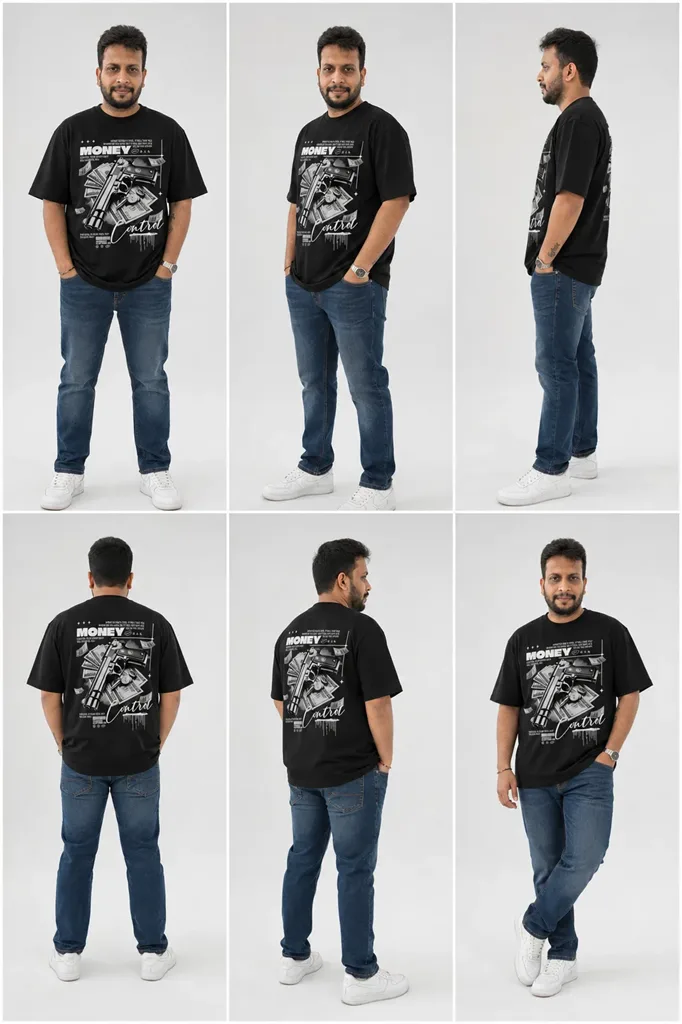
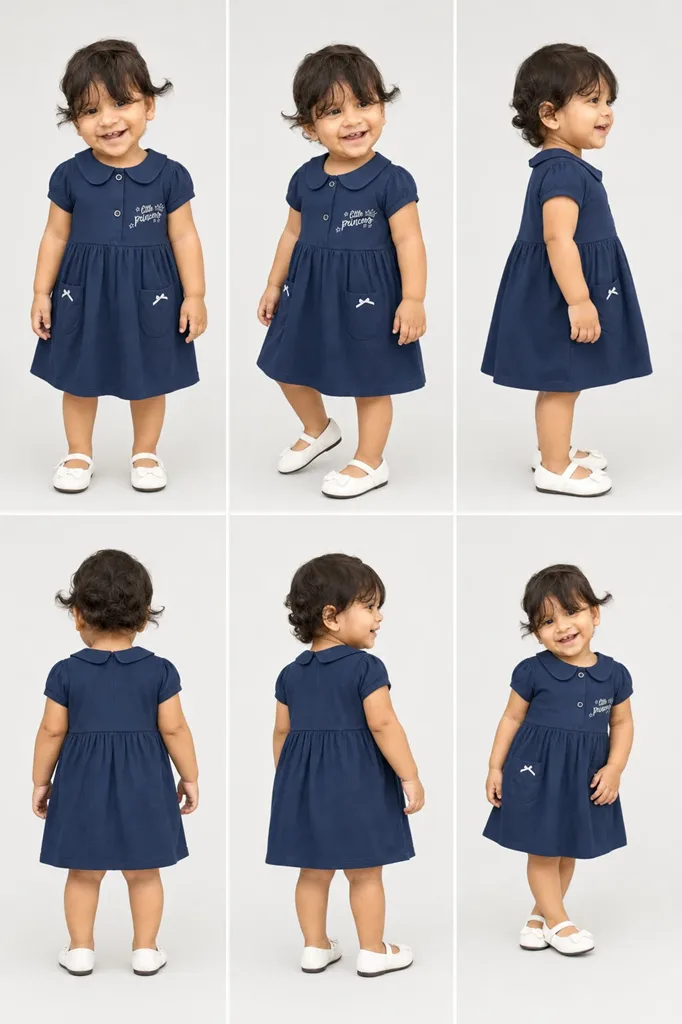
Virtual Try-On · Full Outfit Grid

See the outfit on the model. Before anyone puts it on.

Upload a character photo and the garments you want to preview, and SparkStation's Virtual Try-On generates a full grid of outfit variations from the two, not a single guess, but a set to compare. Keep the frames that work and push them straight to Upscale for the final resolution.

What is AI virtual try-on? A tool that generates images of a person or model wearing a specific garment without a physical photoshoot. SparkStation's Virtual Try-On takes a character photo and one or more garment images and generates a full grid of outfit variations from the two, so you can compare options before picking a favorite.
How it works

A grid to choose from, not a single guess.

1

Upload a character photo

The person or model who will wear the outfit.

2

Add your garments

Upload one or more garment images, PNG, JPG or WEBP.

3

Generate the try-on grid

SparkStation generates a full grid of outfit variations from the character and garments.

4

Upscale the keepers

Pick the frames that work and push them to full resolution.

🔗 Pairs with Upscale

The grid is step one. Upscale is step two.SparkStation's own workflow pairs these tools together

Virtual Try-On is built to generate options, not a single final image, that's why it outputs a grid instead of one result. Once you've found the frames that work, Upscale is the tool that takes those selections to a resolution that holds up for a listing page, a lookbook, or print.

👕

Multiple garments, one character

Upload more than one garment image in a single run to compare how different outfits read on the same character reference, instead of running the tool once per garment.
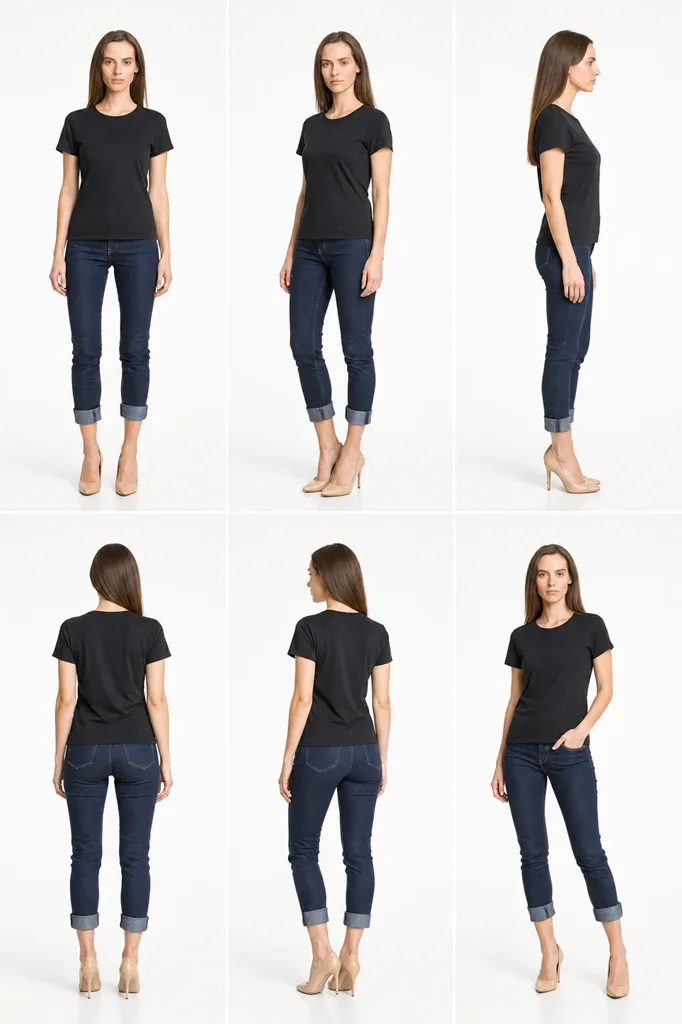
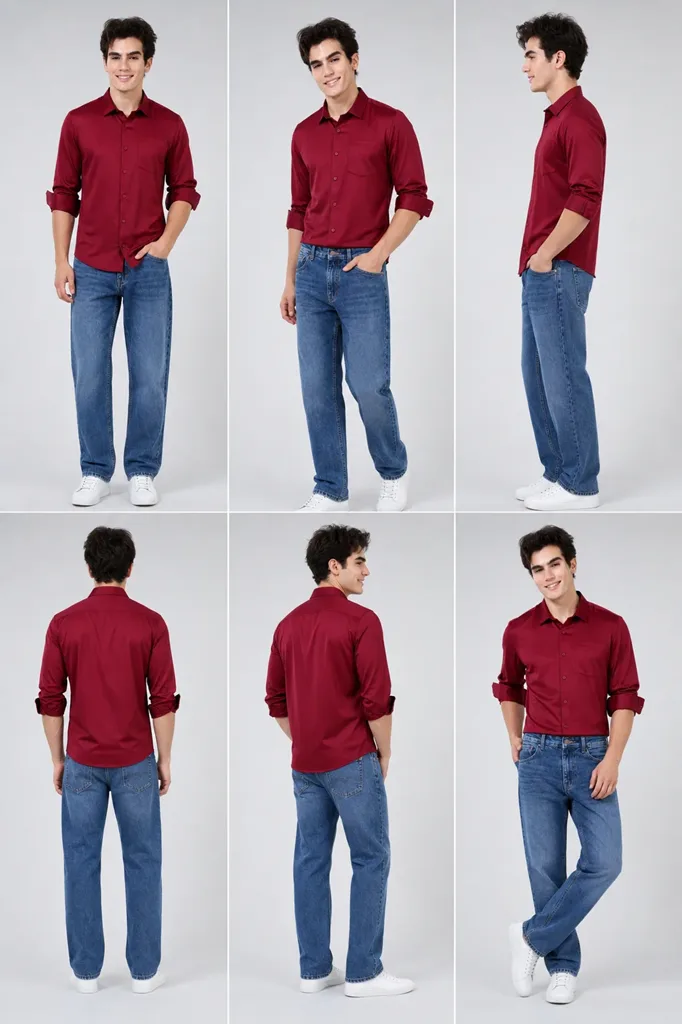
Real output

One garment in, a full grid of poses out.

Pulled straight from a live Virtual Try-On session.

Why it works better

A single try-on guess versus a grid to compare.

✕ A single-result try-on tool
  • One output per run, re-run the whole thing to see another option
  • No easy way to compare garments side by side
✓ SparkStation Virtual Try-On
  • A full grid of outfit variations from one run
  • Compare options, then upscale only the ones you keep
Who it's for

Anywhere an outfit needs to be previewed before it's committed to.

🛍️

Ecommerce & fashion brands

Preview a garment on a model without booking a physical shoot for every SKU.

🎬

Wardrobe & costume planning

Test how an outfit reads on a character before a real fitting or shoot day.

📱

Marketers & creators

Generate outfit variations for a campaign or post without a full production.

Answers

AI virtual try-on, in brief.

What is AI virtual try-on?

AI virtual try-on generates images of a person or model wearing a specific garment without a physical photoshoot. SparkStation's Virtual Try-On takes a character photo and one or more garment images and generates a grid of outfit variations.

What do I need to upload to use virtual try-on?

A character photo (the person or model who will wear the outfit) and one or more garment images in PNG, JPG or WEBP format.

Does virtual try-on generate one image or several?

Several, SparkStation generates a full grid of outfit variations from the character and garments provided, rather than a single result, so you can compare options before picking a favorite.

What happens after I generate a try-on grid?

Pick the frames from the grid you want to keep and upscale them to a higher resolution using SparkStation's Upscale tool.

Who uses virtual try-on?

Ecommerce and fashion brands previewing a garment on a model without a physical shoot, and creators or marketers testing how an outfit reads on a character before committing to a full production.

Ready to preview the outfit before the shoot?

Upload a character and your garments, get back a full grid to compare, not just one guess.