

Swap the face. Keep everything the scene was already doing right.
A lot of face-swap tools paste a new face on flatly, mismatched lighting and all. SparkStation's Face Swap replaces any face in an image with a reference portrait while preserving the scene's original lighting and expression, so the swap looks like it belongs in the shot, not stitched onto it.
Two images in, one matched result out.
No manual masking, no relighting pass afterward, the match is handled in the swap itself.
Upload your target image
The scene whose face you want to replace.
Upload your reference portrait
A clear photo of the face you want to place into that scene.
Generate the swap
The result preserves the original lighting and the subject's expression as it swaps the face in.
Review before you use it
Check the swapped result fits your use case before it goes downstream.
Photo, target, result, one real session.
Pulled straight from a live Face Swap run, not staged.
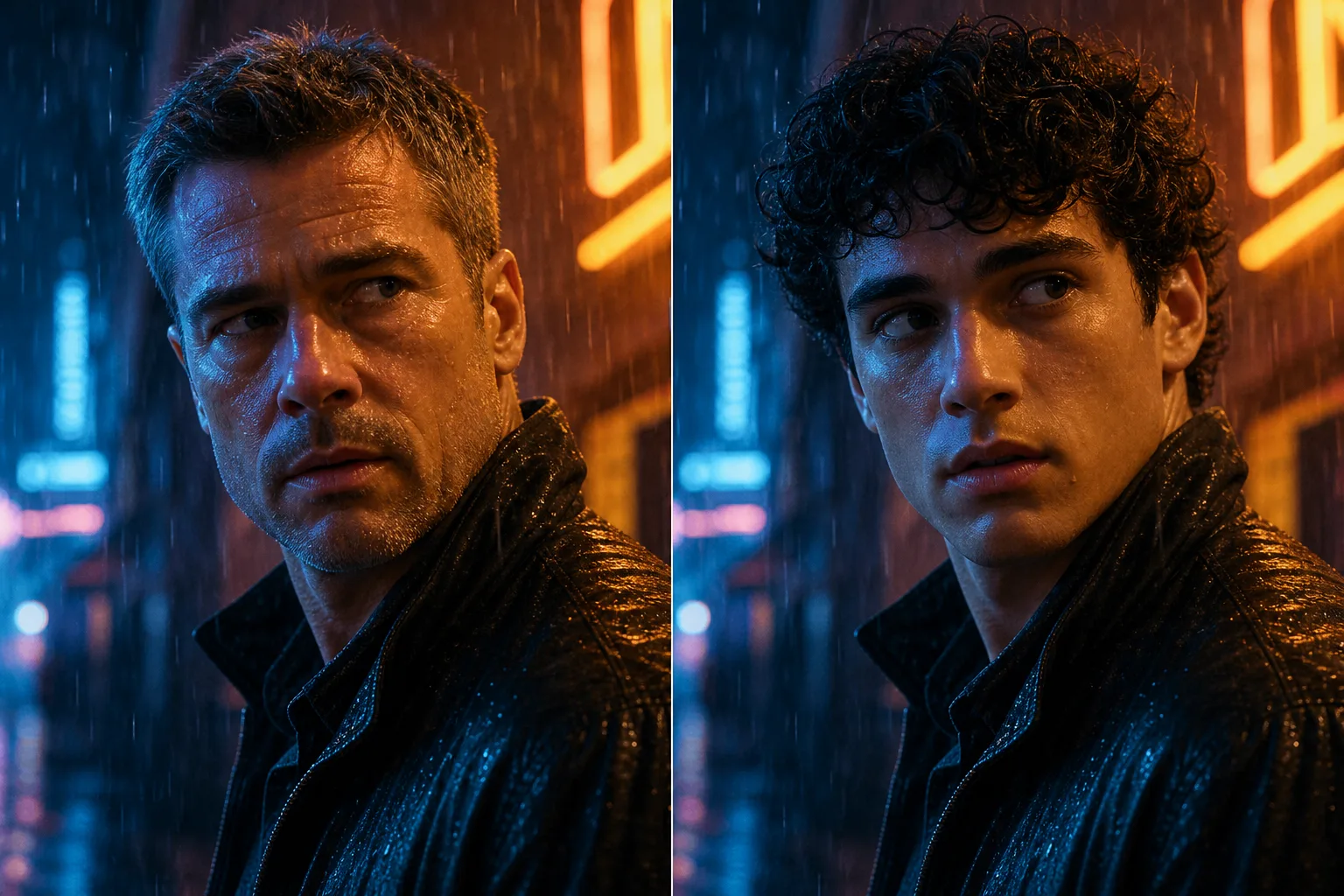
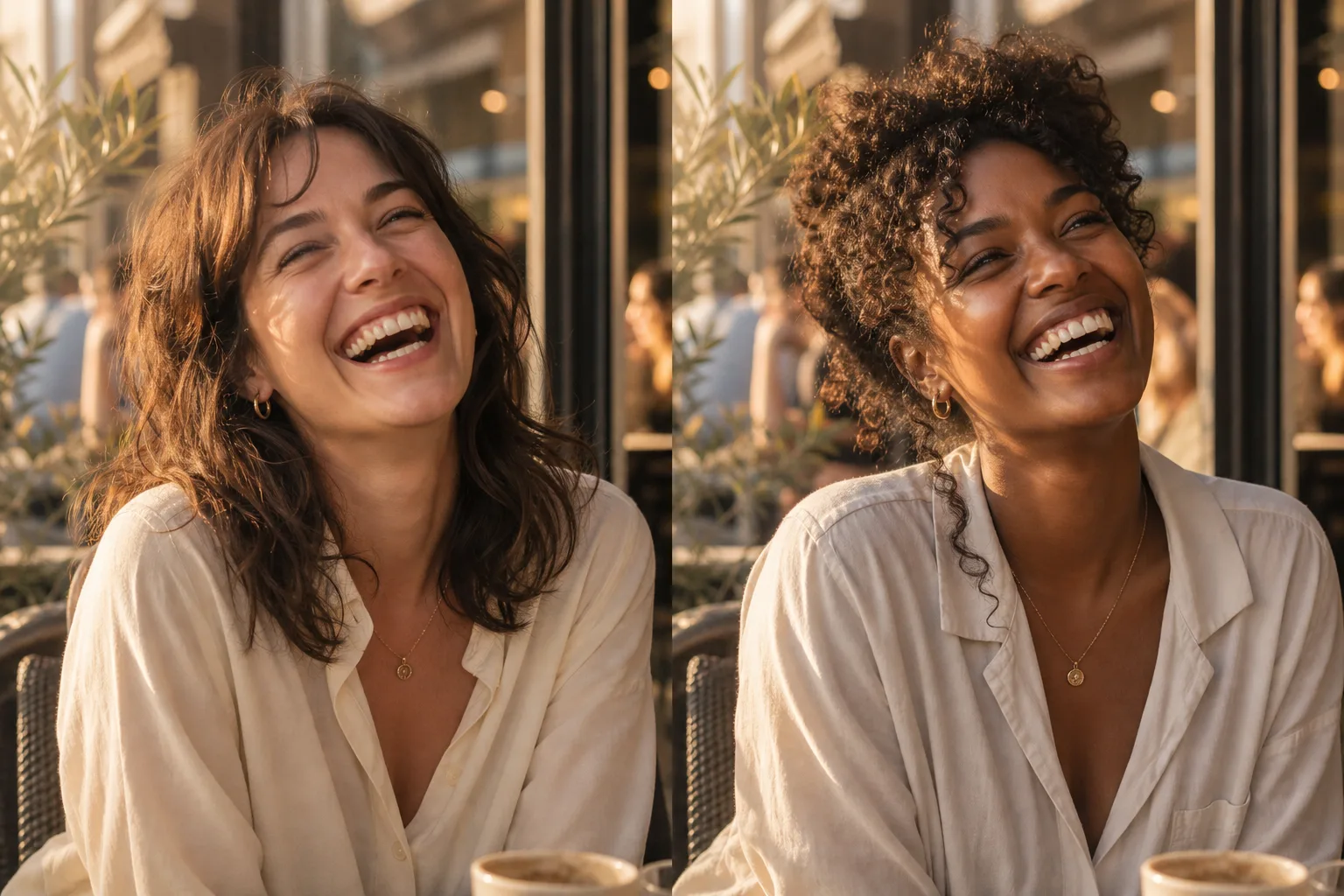
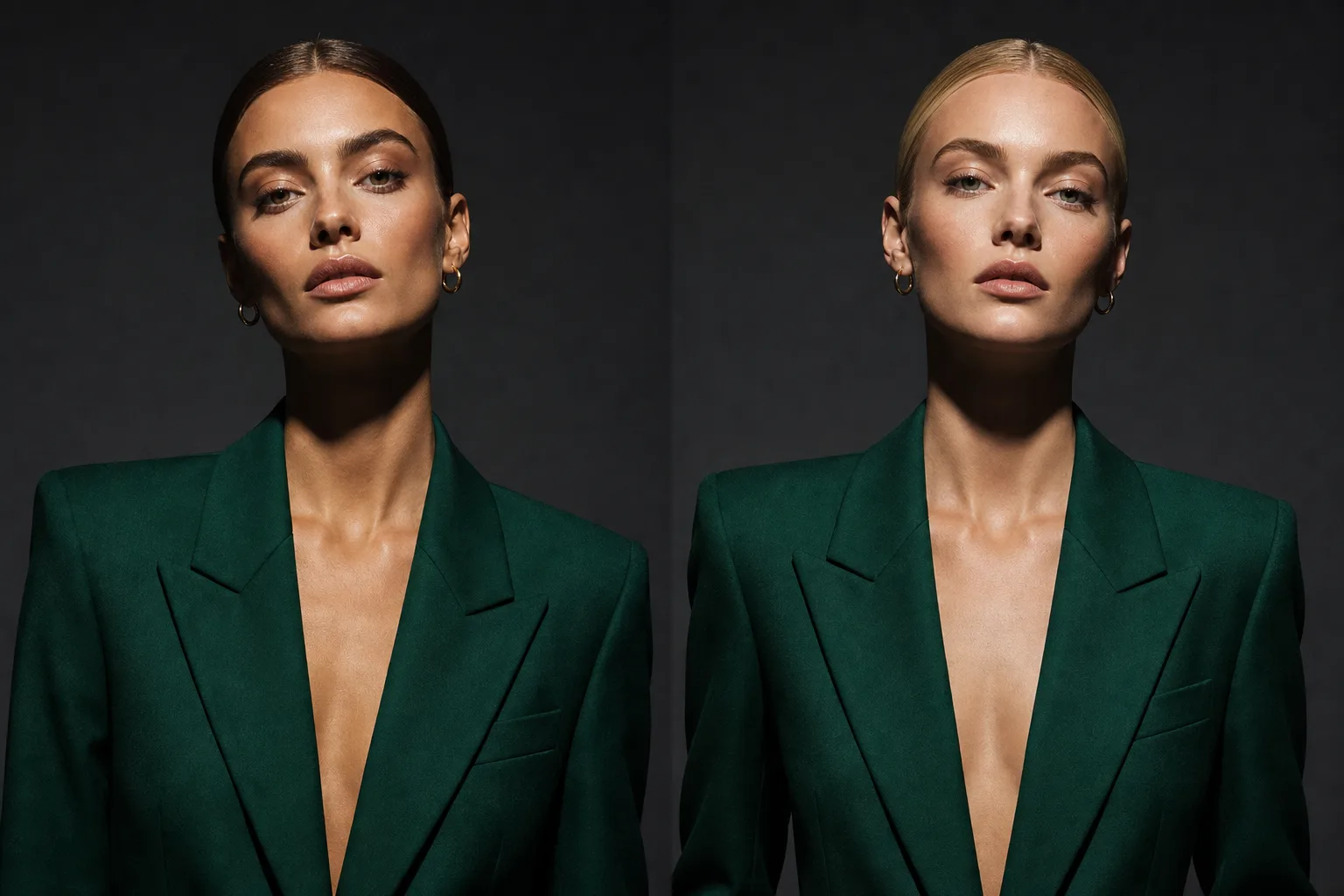
Most face swaps look pasted on. This one is built to match the scene.
- Pastes the new face in without matching the scene's lighting
- Loses the subject's original expression
- Edges and skin tone often mismatch the rest of the shot
- Preserves the scene's original lighting on the swapped face
- Keeps the subject's original expression intact
- Built to look native to the shot, not stitched onto it
Anywhere a specific face needs to appear in an existing shot.
Casting & look tests
Preview how a specific face reads in a composition before committing to a real shoot.
Consistent character references
Place the same face across multiple reference images to build a coherent character sheet.
Creative edits
Swap a face into an existing composition for concept work, mockups or storyboards.
Use it responsibly
Face swap should only be used with images you have the rights and consent to use. Don't use it to impersonate a real person without their permission, or to create misleading content about someone. Treat it the same way you'd treat any tool capable of altering a real person's likeness.
Face Swap pairs naturally with SparkStation's other identity tools.
AI face swap, in brief.
What is AI face swap?
AI face swap replaces a face in an existing image with a different face from a reference photo, while keeping the rest of the scene, including its lighting and the subject's expression, intact. SparkStation's Face Swap takes a target image and a reference portrait and generates the swapped result.
Does face swap preserve the original lighting and expression?
Yes, SparkStation's Face Swap is built specifically to preserve the scene's original lighting and the subject's original expression, rather than pasting the reference face in flatly without matching either.
What images do I need to do a face swap?
Two images: a target image, the scene whose face you want to replace, and a reference portrait of the face you want to place into that scene.
What is face swap used for?
Common uses include casting and look tests before a real shoot, placing a consistent character's face across reference images, and creative edits where a specific face needs to appear in an existing composition.
Is there a responsible-use policy for face swap?
Face swap should only be used with images you have the rights and consent to use, and never to impersonate a real person without their permission or to create misleading content about someone.