Subtitle Creator · Any Duration · 60+ Languages · Burn-In Export

Caption anything. From a 15-second Reel to a full-length film.

Upload a video or audio file of any length and Subtitle Creator transcribes it with word-level timing, translates it into 60+ languages without losing the original's exact sync, styles it with an OTT, theatrical or Reels-ready preset, then burns the captions into the video or exports them as SRT, VTT, ASS, TXT or an editable caption file.

10 hrs
max length, one pass, no chunking
60+
languages, natural phrasing
12
caption style presets
6
export formats, incl. burn-in
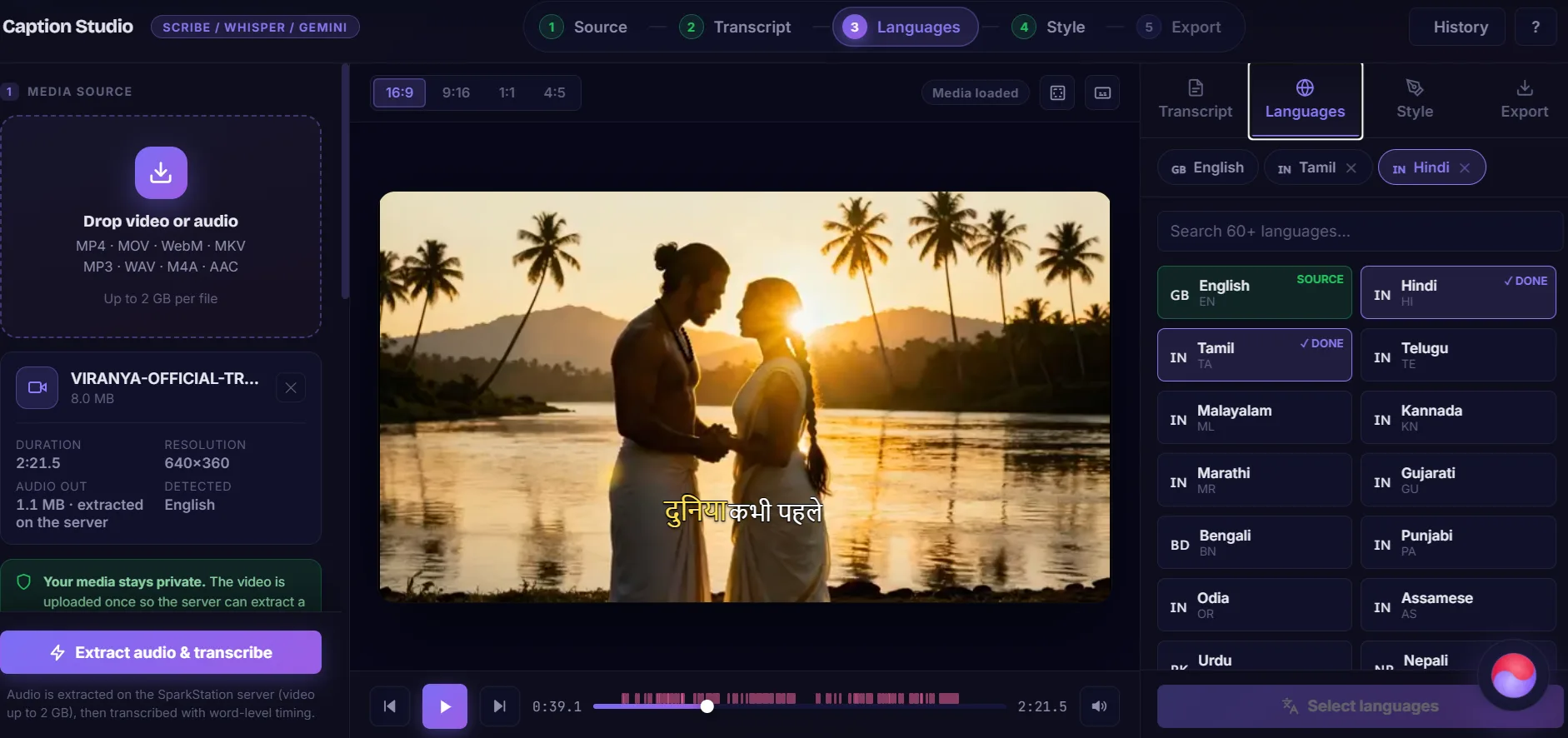
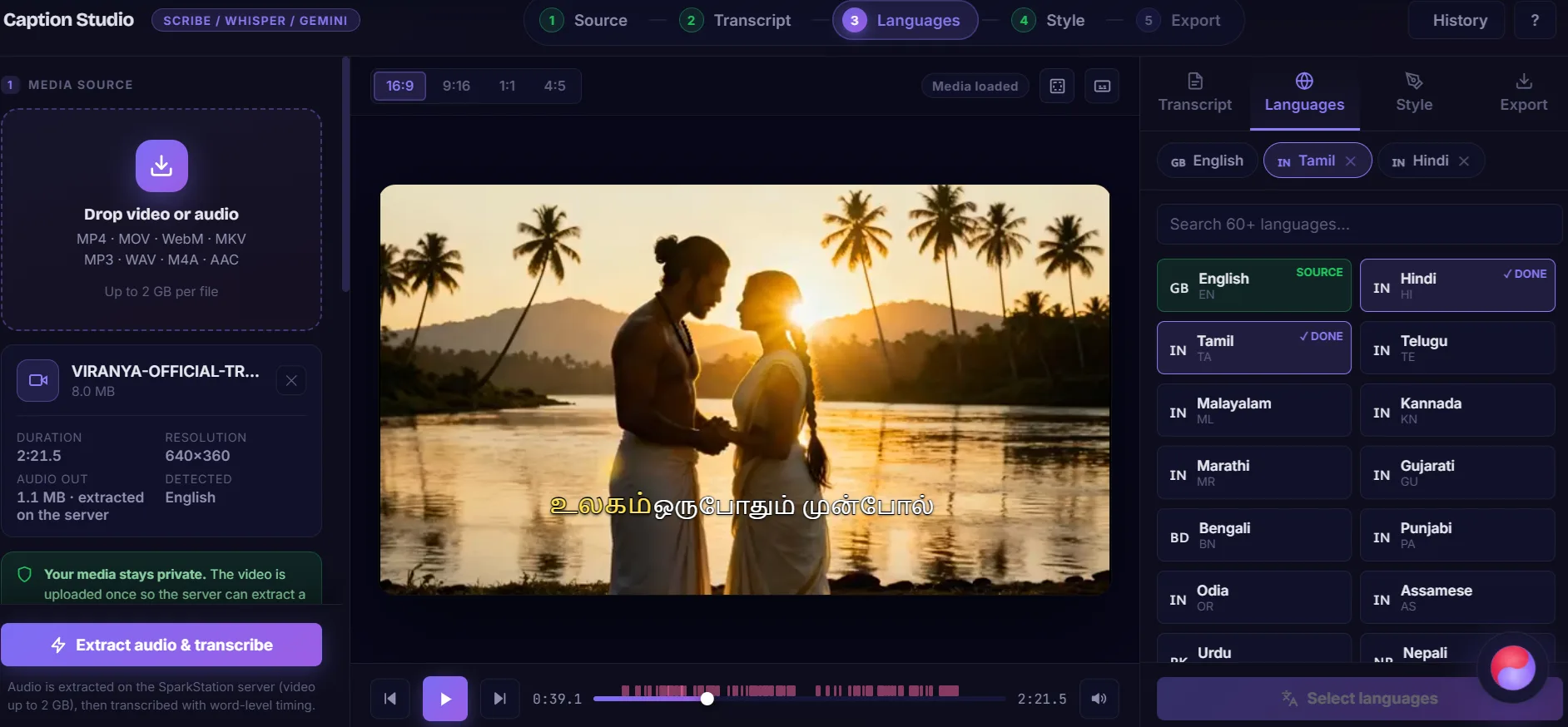
Subtitle Creator showing a Tamil translation burned live into the video preview, with English, Hindi and Tamil language tabs and a per-cue caption list
What is SparkStation's Subtitle Creator? A captioning tool that transcribes a video or audio file of any length, a 15-second Reel or a multi-hour film, up to 10 hours in one pass, into word-level, speaker-labeled subtitles. From that transcript it translates into 60+ languages while preserving the original's exact cue timing, styles the result with one of 12 presets or full custom controls, and then either burns the captions permanently into the video or exports them as a subtitle file in several formats.
How it works

One upload. Any length, any language, any platform's caption style.

Five steps, one editor, transcription, translation, styling and export all live in the same place.

1

Upload any length

A Reel or a feature film, up to 10 hours and 5GB in one pass. Or import an SRT/VTT you already have.

2

Auto-transcribe

Word-level timing, speaker labels, and a caption rhythm from full sentences down to 1-word bursts.

3

Translate

Add any of 60+ languages in one batch, natural phrasing, timing untouched.

4

Style it

12 presets from OTT to Reels, or build your own, in 16:9, 9:16, 1:1 or 4:5.

5

Export or burn in

Permanent burn-in for social, a soft track for everywhere else, or SRT/VTT/ASS/TXT/JSON.

🎬 Step 1 · Transcribe

One Upload, Any DurationA 15-second Reel or a full-length film, same editor, same pass

Drop in a video or audio file and hit Extract audio & transcribe. There's no separate long-form mode to switch into, the same upload handles a short-form Reel and a multi-hour recording in a single pass, up to 10 hours and 5GB, so a two-hour lecture or a feature-length cut doesn't get split into chunks that could drift out of sync by the end.

The result is word-level timing with automatic speaker labels, not just a rough per-sentence guess, which is what makes karaoke-style word highlighting and precise re-syncing possible later. Already have captions? An Import SRT/VTT option skips transcription entirely and jumps straight to translation or styling.

  • Word-level timestamps with per-speaker labels when more than one voice is present
  • Caption rhythm control, full sentences, line-based, or 1-6 words per cue
  • Custom vocabulary hint, feed in names, brands or terms for better accuracy
  • Sound-cue & profanity options, toggle (laughter)/(applause)/(music) tags and censoring independently
  • Sync tools, shift all cues, snap to the playhead, or auto-fit to detected audio length
  • Processed on your device, the video itself isn't uploaded; only the extracted audio is sent off for transcription
Max length, one pass
10 hours
Up to 5GB, no chunking or stitching to drift the timing
Max chars / line
42 default
Adjustable 20-60, controls how cues wrap
Caption rhythm
7 modes
Sentence, line, or 1/2/3/4/6-word bursts
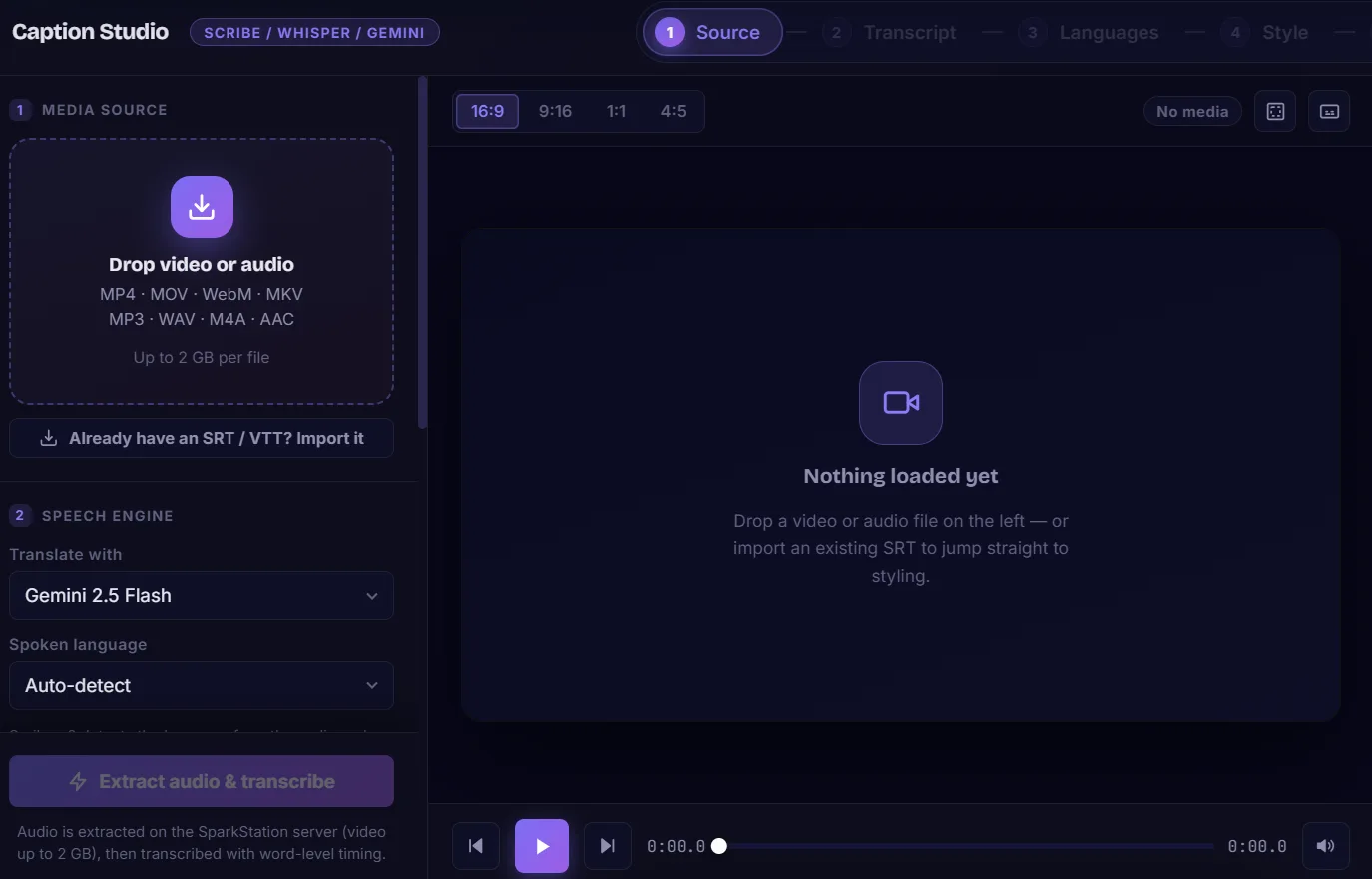
Subtitle Creator empty state, drop a video or audio file, with speech engine and transcription rule settings in the left panel
Drop in any video or audio file, the same flow handles a 15-second clip or a multi-hour recording.
Subtitle Creator transcript editor showing word-level cues, speaker labels, and a live burned-in caption preview on the video
Word-level cues with speaker labels, and the caption preview burns in live as the video plays.
🌐 Step 2 · Translate

One Transcript, 60+ Languages to SpeakNatural phrasing, not word-for-word, timing untouched

Every video starts with one source-language transcript. From there, select any number of the 60+ available languages and translate them in a single batch, each one becomes its own tab, independently editable, and keeps the original's exact cue timestamps. Nothing needs re-timing after translation, and right-to-left layout applies automatically for Arabic, Hebrew, Persian and Urdu.

Translation is tuned for natural, spoken phrasing rather than a literal word-for-word swap, proper nouns, brand names, numbers and speaker labels carry over untouched, but the sentence itself reads the way a native speaker would actually say it.

ENEnglish · Source HIHindi TATamil TETelugu MLMalayalam KNKannada MRMarathi GUGujarati BNBengali PAPunjabi URUrdu ESSpanish FRFrench DEGerman ITItalian PTPortuguese RURussian ZHChinese JAJapanese KOKorean ARArabic TRTurkish VIVietnamese THThai IDIndonesian + 38 more, including Nepali, Sinhala, Swahili, Hebrew, Persian, Ukrainian and Filipino →
ℹ️

Idiomatic translation, timing preserved exactly

Each added language keeps the original's exact cue timestamps and translates for meaning and tone rather than word-for-word, natural, spoken phrasing that still keeps proper nouns, numbers and speaker tags intact. A translated track drops in and stays in sync immediately, with no re-timing pass needed.

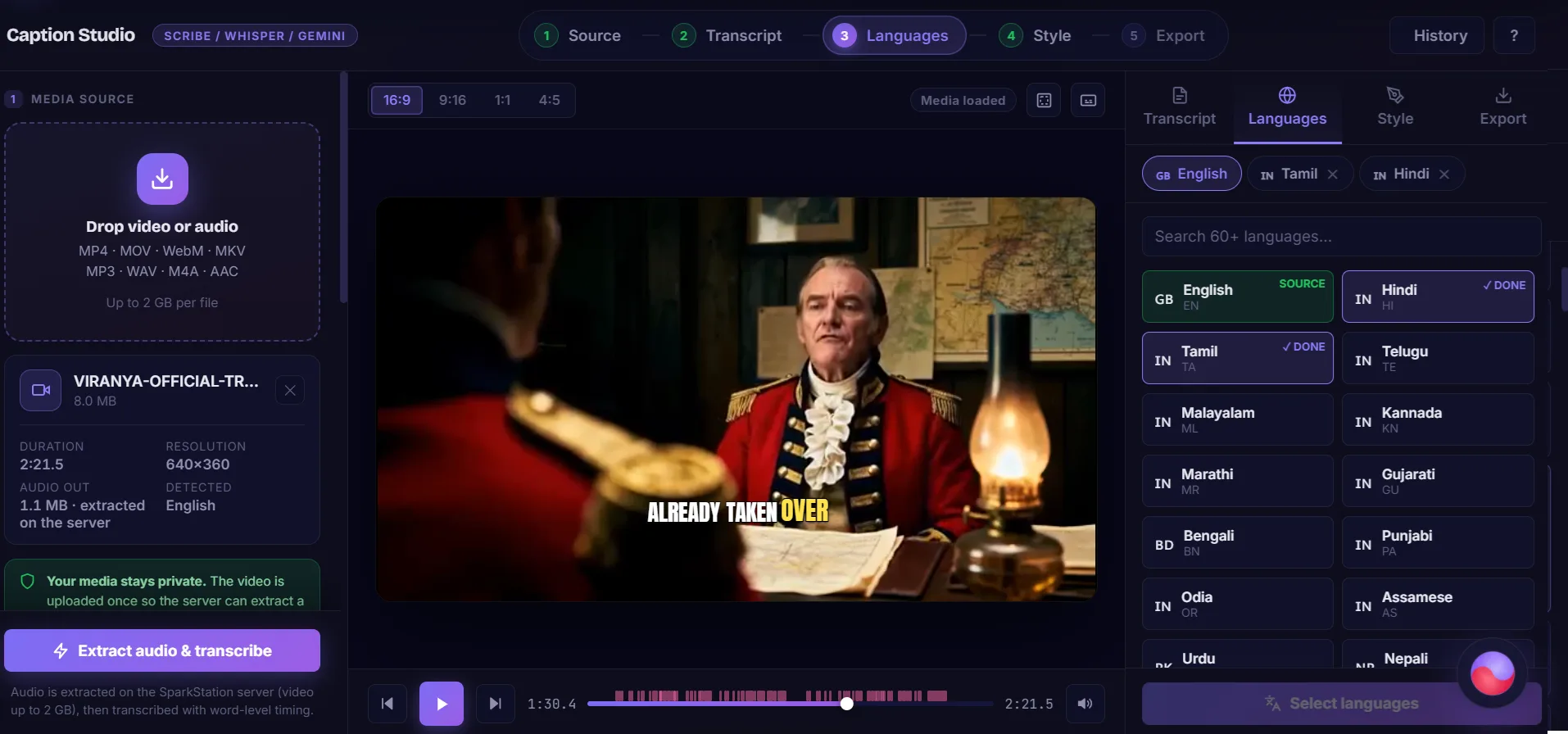
Subtitle Creator language picker with Hindi and Tamil selected as translation targets, ready to translate into 2 languages
Queue up any number of the 60+ languages and translate them together in one batch.
Subtitle Creator translation in progress, showing a Hindi translation batch running while the Tamil caption already renders in the preview
Translations run in a batch, each finished language is immediately previewable while the rest continue.
✎ Step 3 · Style

From Broadcast-Safe Subtitles to Reels-Ready Word Pops12 presets across three real-world looks, or design your own

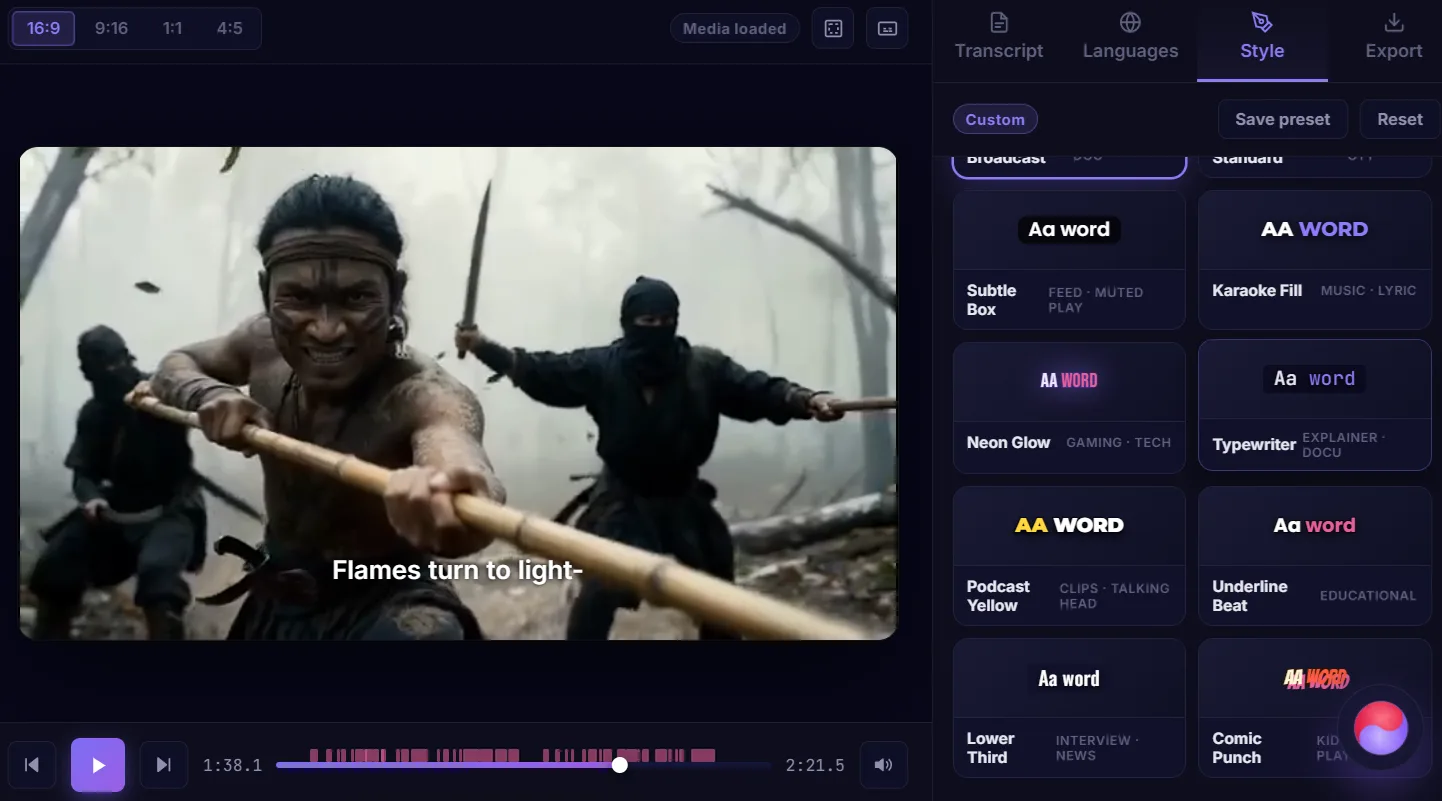
Captioning a theatrical release, an OTT show, a corporate training video and a Reel all call for a different look, a clean single line at the bottom of frame is right for one, and dead wrong for another. Subtitle Creator ships 12 built-in presets grouped around three real caption jobs, plus a full style studio for anything a preset doesn't cover.

OTT & Theatrical

Broadcast-safe, unobtrusive

Small, centered, single- or two-line text that stays out of the picture, the look streaming platforms and cinemas use.

Cinema StandardLower Third
Reels & Social

Bold, word-by-word, built to hook

Large uppercase type with word-level highlight and motion, designed to be watched with the sound off, mid-scroll.

Bold PopPunch GreenNeon GlowPodcast YellowKaraoke FillComic PunchUnderline Beat
Corporate & Documentary

Plain, legible, professional

Understated type with no gimmicks, built for training videos, interviews and explainers where the message should carry itself.

Clean BroadcastSubtle BoxTypewriter
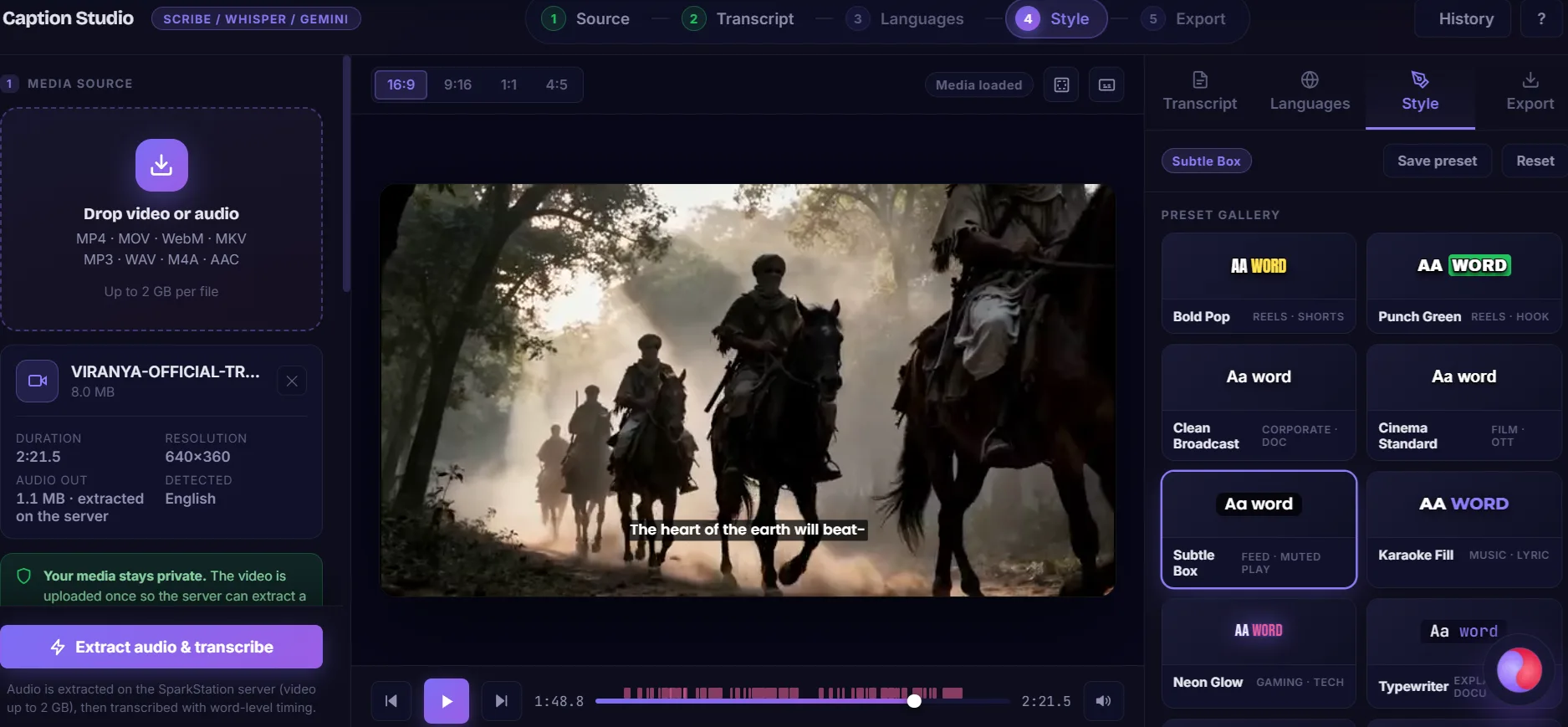
Cinema Standard preset applied, a small, clean, single-line subtitle typical of streaming platforms and theatrical releases
Cinema Standard, the small, unobtrusive line typical of OTT and theatrical delivery.
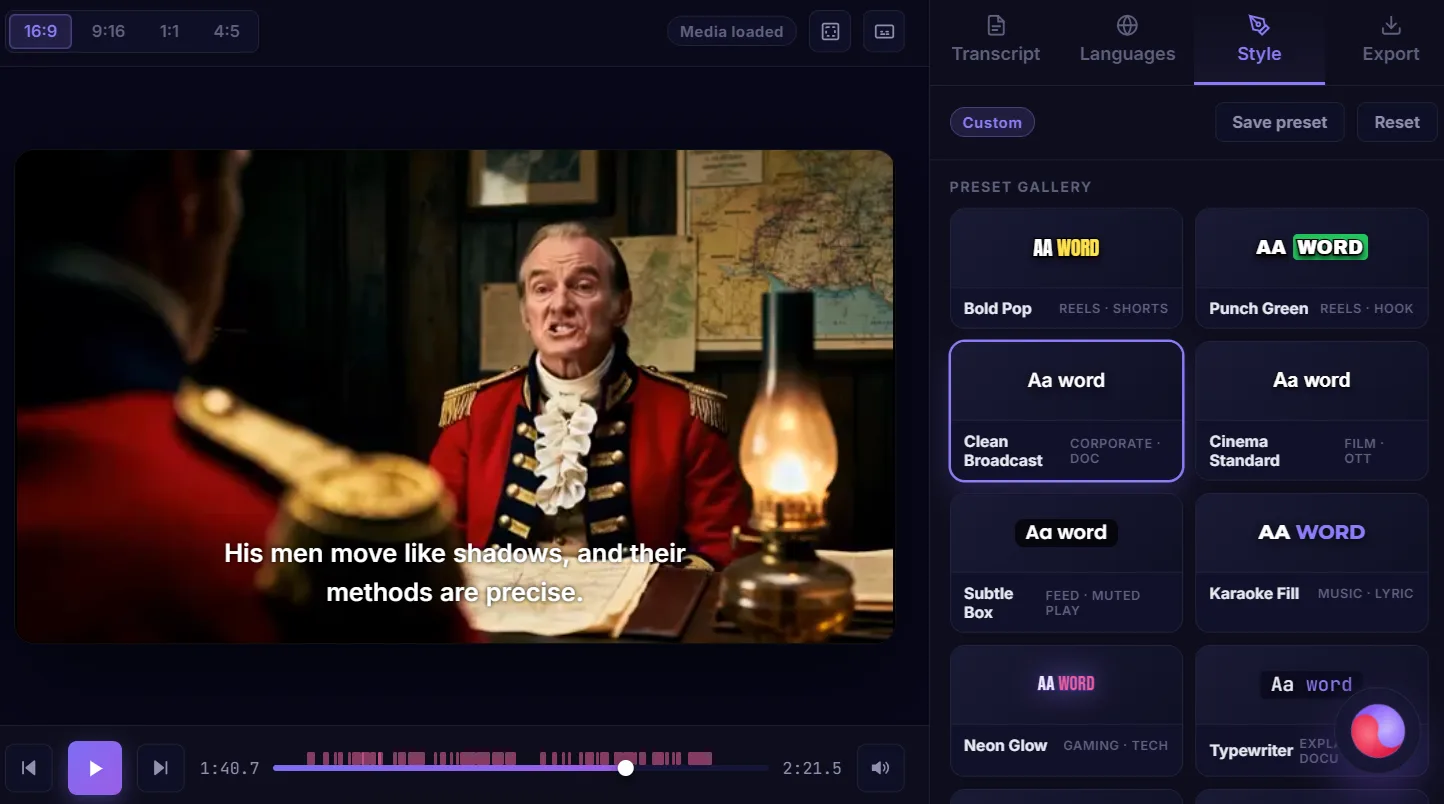
Clean Broadcast preset applied, plain white sans-serif captions with no stroke or box, for corporate and documentary video
Clean Broadcast, plain, legible text for training, interviews and documentary cuts.
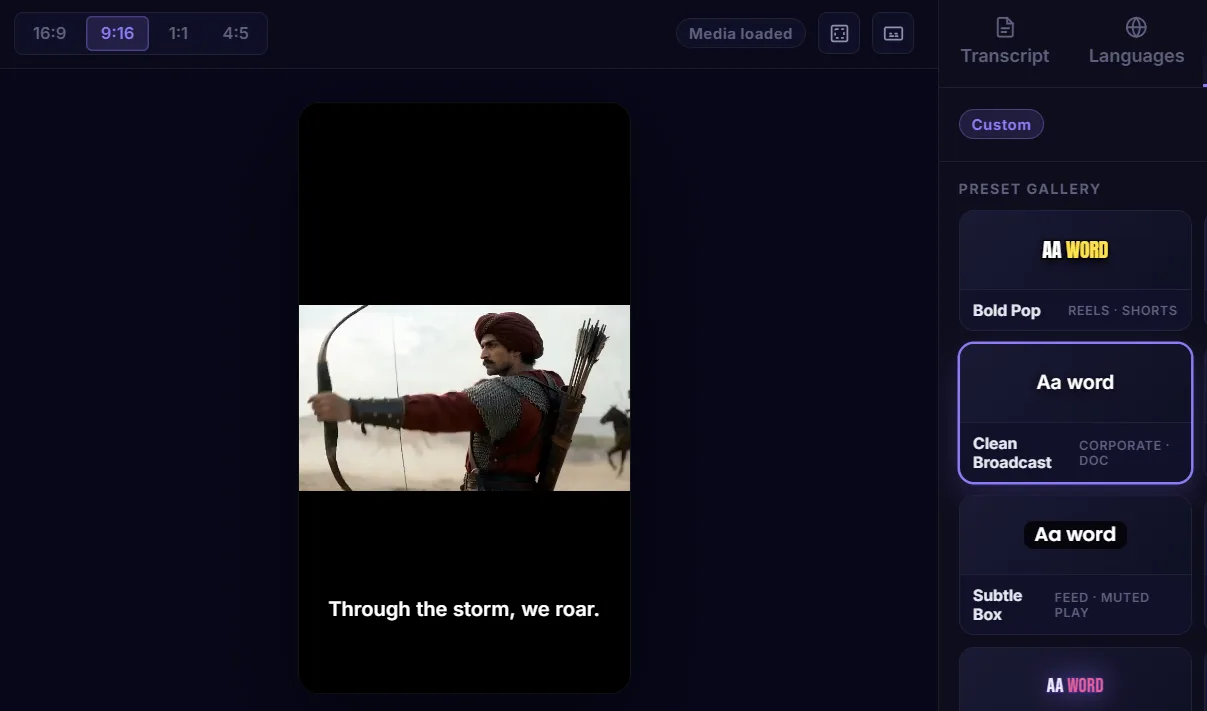
Bold Pop preset in a 9:16 vertical frame, showing large uppercase word-highlight captions built for Reels and Shorts
Bold Pop reframed to 9:16, sizing is resolution-independent, so the same style survives a vertical export.
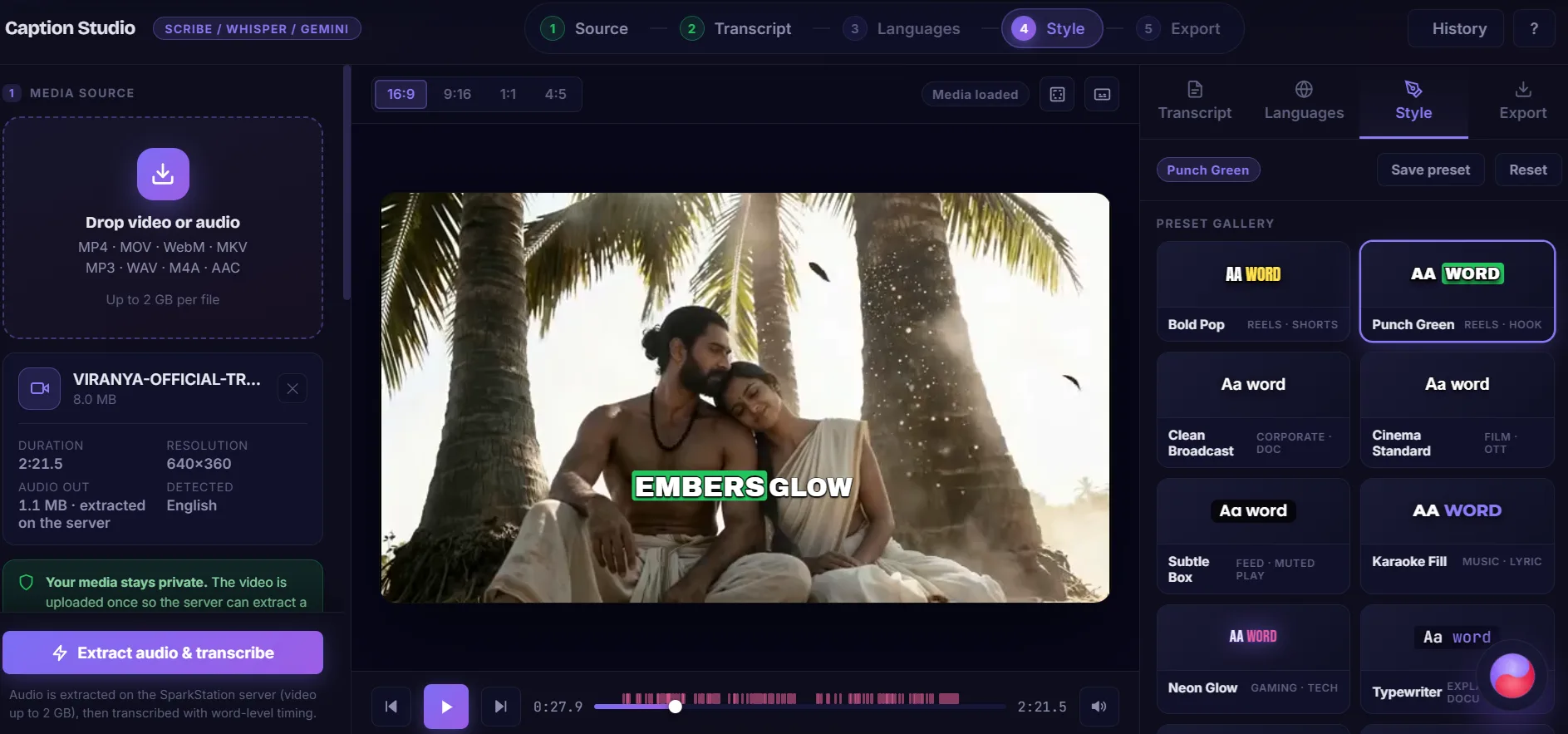
Subtitle Creator's full preset gallery showing all 12 caption styles with live font previews
All 12 presets, live-previewed in their actual font, color and highlight treatment.

Beyond presets, everything is adjustable: font (19 families spanning social/impact, broadcast and technical looks), weight, case, size, letter spacing, line height, fill color, stroke, drop shadow, background box, six word-highlight modes (including karaoke fill and reveal-as-spoken), five entrance animations, alignment and position. Sizes are set as a percentage of frame height, so a style built for 16:9 survives a 9:16 or 1:1 export without redoing the layout. Any combination can be saved as a reusable custom preset.

16:9 Widescreen 9:16 Reels & Shorts 1:1 Square 4:5 Feed
📤 Step 4 · Finish

Burn It In, or Keep It SeparateTwo ways to ship, six file formats

Not every platform treats captions the same way, Reels, Shorts and TikTok ignore subtitle tracks entirely, so the only way captions show up there is painted onto the picture itself. Everywhere else, a separate subtitle track that a viewer can toggle on or off is usually the better choice. Subtitle Creator supports both, and lets you choose per export rather than picking one approach for everything.

Burn captions in

Permanent, works everywhere

Paints the captions onto the picture itself, the only option that works on Reels, Shorts and TikTok, where players ignore subtitle tracks entirely.

  • Re-encodes the video, so it takes real time to render
  • Three quality presets, Fast, Balanced, Best, trading file size against render time
  • A live estimate (resolution, duration, rough time range) shows before you run it
Add a subtitle track

Instant, lossless, toggleable

Copies the video and audio streams untouched and attaches captions as a track a viewer can switch on or off.

  • Finishes in under a second, no re-encoding
  • Zero quality loss, since the original streams aren't touched
  • Invisible on social autoplay unless the platform actually supports subtitle tracks
Subtitle Creator export panel showing burn-in quality options and a render time estimate alongside the add-subtitle-track option
Burn-in quality presets and a live render-time estimate, shown before committing.

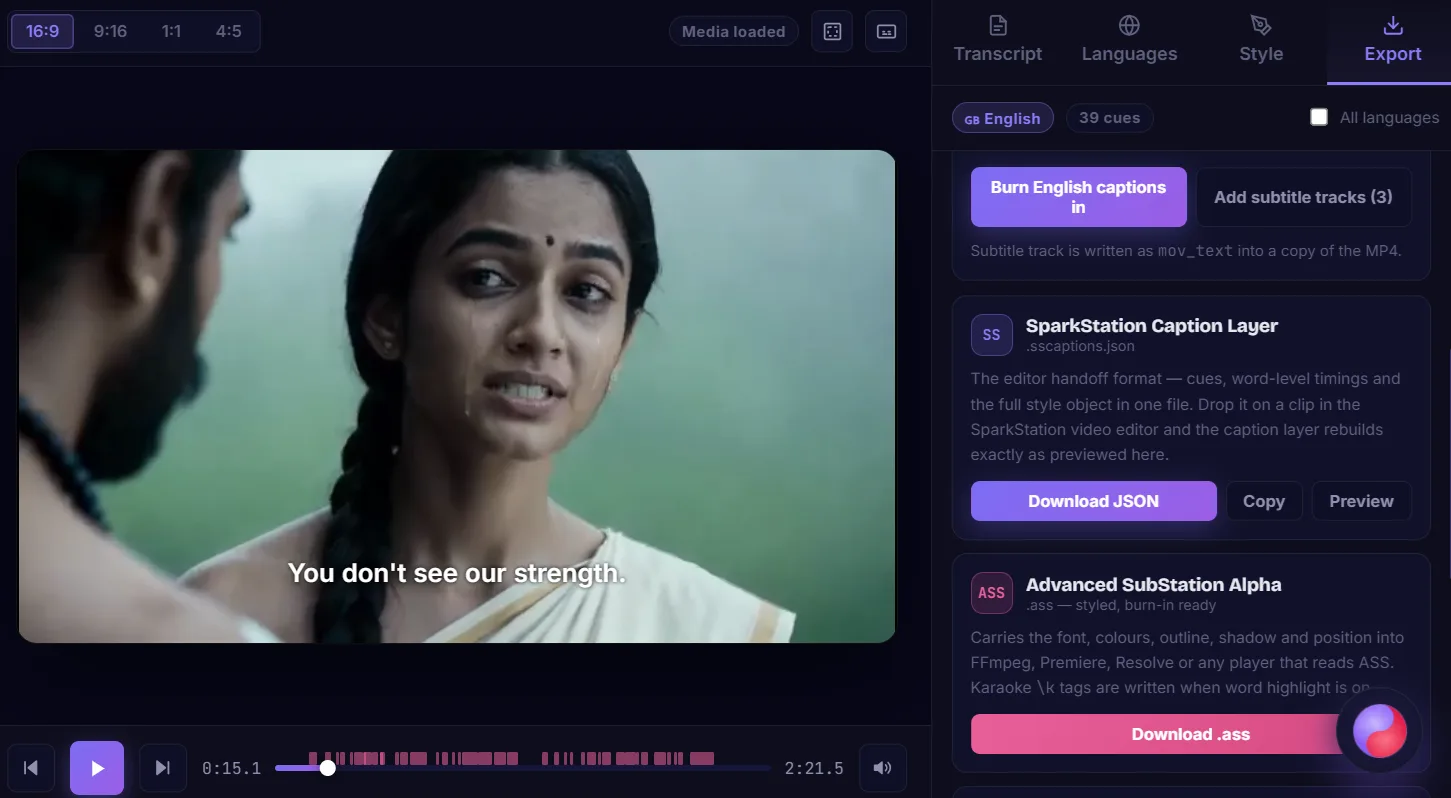
Six export formats, for six different next steps

MP4

Burned-in video

Captions painted permanently into the picture, ready to upload straight to Reels, Shorts or TikTok.

MP4

Soft subtitle track

Original streams untouched, captions attached as a toggleable track, instant, no quality loss.

SS

Caption-layer file

Cues, word timings and the full style in one file, reopen it later to keep editing exactly where you left off.

ASS

Styled subtitle file

Carries font, color, outline, shadow and position, with karaoke tags when word-highlight is on, into other editors.

SRT

SubRip & WebVTT

Universal, unstyled subtitle files for YouTube, Vimeo, broadcast delivery and accessibility compliance.

TXT

Plain transcript

No timecodes, for blog posts, show notes, SEO pages, or repurposing the words elsewhere.

Why it works better

Most caption tools pick one duration, one language and one look. This one doesn't.

A typical auto-caption tool is built for short clips, one language, and one visual style, anything outside that means a different tool, a manual translation pass, or a style that doesn't fit the platform you're shipping to.

✕ A typical short-form caption tool
  • Built around short clips, long-form content means splitting the file yourself
  • One language out of the box, translation is a separate tool and a separate export/import cycle
  • One visual style, usually tuned for social, the wrong look for OTT, broadcast or corporate delivery
  • Captions only, no way to burn them into the finished video
✓ SparkStation Subtitle Creator
  • One pass handles anything from a 15-second Reel to a 10-hour recording
  • 60+ languages translated inline, each timed identically to the original
  • 12 presets spanning OTT, Reels and corporate looks, plus full custom styling
  • Burn captions permanently into the video, or export a soft track and five other file formats
Who it's for

Anyone captioning video, regardless of length, language or platform.

📱

Reels & Shorts creators

Bold, word-by-word captions burned permanently into vertical video, the only format Reels, Shorts and TikTok actually display.

🎓

Course & training creators

Caption a full recorded lecture in one pass, then localize it into every language a learner base speaks, all timed identically.

🎬

Film & OTT post-production

Broadcast-safe, theatrical-standard subtitle styling for a finished cut, with clean SRT/VTT delivery for streaming platforms.

📣

Marketing & localization teams

Take one hero video and ship region-specific caption tracks in dozens of languages without commissioning a separate translation pass per market.

Answers

Subtitle Creator, in brief.

What is SparkStation's Subtitle Creator?

Subtitle Creator transcribes a video or audio file of any length into word-level, speaker-labeled captions, translates that transcript into 60+ languages while keeping the original's exact timing, styles the result with a preset or full custom design, and then either burns the captions permanently into the video or exports them as a separate subtitle file in several formats.

How long a video can it handle?

Anything from a 15-second Reel to a full-length film, transcription runs in a single pass up to 10 hours and 5GB, so there's no chunking or stitching that could drift the timing on long recordings. Burning captions into the finished video (a separate, later step) is capped closer to 2GB since that step re-encodes in the browser; longer files can still export a styled subtitle file for burning in elsewhere.

How many languages can I translate into?

60+, covering major Indian languages (Hindi, Tamil, Telugu, Malayalam, Kannada, Marathi, Gujarati, Bengali, Punjabi, Odia, Assamese, Urdu, Nepali, Sinhala), European, East and Southeast Asian, and Middle Eastern/African languages, with automatic right-to-left layout for Arabic, Hebrew, Persian and Urdu. Translation targets natural, idiomatic phrasing rather than a literal word-for-word swap, and every translated language keeps the original's exact cue timing.

What caption styles are available?

12 built-in presets spanning OTT/theatrical looks (a clean broadcast-safe subtitle line), Reels and social styles (bold word-by-word highlight, karaoke fill, neon, comic), and corporate/documentary styles (plain broadcast text, subtle lower-third boxes, typewriter reveal). Beyond presets, font, size, color, stroke, shadow, background box, six word-highlight modes, five entrance animations, alignment and position are all individually adjustable and can be saved as a custom preset.

What's the difference between burning captions in and adding a subtitle track?

Burning in paints the captions permanently onto the picture, the only option that works on Reels, Shorts and TikTok, since those players ignore subtitle tracks. It re-encodes the video, so it takes time. Adding a subtitle track instead copies the video and audio untouched and attaches captions as a track a viewer can toggle, this finishes in under a second with no quality loss, but only works on players that support subtitle tracks.

What export formats does it support?

Six: a burned-in MP4, an MP4 with a selectable soft subtitle track, a styled Advanced SubStation Alpha (.ass) file with karaoke tags when word-highlighting is on, universal SubRip and WebVTT (.srt/.vtt) for platforms like YouTube and Vimeo, a plain-text transcript with no timecodes for blog posts or show notes, and a caption-layer file that carries cues, word timings and the full style so it can be reopened for further editing.

Can I bring in subtitles I already have?

Yes. Importing an existing SRT or VTT skips transcription entirely and jumps straight to translation and styling.

Does it work for vertical video and other aspect ratios?

Yes, 16:9, 9:16, 1:1 and 4:5 are all supported, and caption sizing is resolution-independent (set as a percentage of frame height), so a style built on a widescreen source carries over correctly when reframed vertically for Reels or Shorts.

Does translating change the caption timing?

No. Every translated language keeps the exact same cue start and end timestamps as the original, only the text changes, so a translated track drops in already in sync.

Is my video uploaded anywhere?

The video itself is processed on your device, only the extracted, compressed audio track is sent off-device for transcription. The full video never leaves your browser.


Caption anything. Ship it in every language and every look.

Any duration, 60+ languages, 12 caption styles, and a burn-in or export path for wherever the video is going, all in one editor.