AI Video Intelligence · Highlight Detection & Auto-Cuts

Find the moment that matters. Cut the promo before lunch.

Point it at long-form footage, a match, a stream, an event, raw dailies, and SparkStation's Video Intelligence engine extracts frames, finds the key moments, and cuts a Teaser, Trailer or Reel automatically. The same key frames also generate a platform-ready thumbnail and poster. No scrubbing, no manual logging, no separate edit for every format.

3
cut modes
9
genres
5
audience presets
4
thumbnail sizes
What is SparkStation's AI Video Intelligence? An engine that watches your footage so you don't have to. It runs a Frame Extractor across the full video, narrows that down to Key Frames, then ranks those into Key Moments and Highlights, the parts of a long video actually worth keeping. From those same highlights, it auto-cuts a Teaser, Trailer or Reel, and generates a matching Thumbnail or Poster, all from one pass over one piece of footage.
Under the hood

One pass over your footage, four things come out.

Frame Extractor, Key Frames, Key Moments and Highlights are the engine's own stage names, not a marketing gloss, the actual pipeline your footage runs through before anything gets cut.

1

Frame Extractor

Ingest

Pulls frames across the full runtime of your uploaded or linked video, no pre-editing required.

→
2

Key Frames

Narrow

Reduces the raw extraction down to the frames that actually represent each distinct moment or scene.

→
3

Key Moments & Highlights

Rank

Scores those moments for narrative or excitement value, the part that makes sports and event footage work.

→
4

Generate

Output

Turns the ranked highlights into a Teaser, Trailer or Reel, or a Thumbnail/Poster pulled from the same frames.

Why this matters for sports and media specifically: a two-hour match or stream recording has maybe ninety seconds of footage worth publishing. Highlight detection finds that ninety seconds automatically, instead of a human editor scrubbing the full runtime looking for it.
🎬 From the same highlights

Auto-Cut Teasers, Trailers & ReelsCreate Reel, an AI editor picks the segments, you choose the mode, genre and length

Once your footage is scored for highlights, cutting a promo is three choices, not a timeline. Pick a mode, a genre, and a target audience, the AI editor picks the actual segments and assembles them into a finished cut.

Three modes, three jobs
🕶️ Teaser
15-30 seconds

A handful of moments. Withholds the story.

Best for: early announcements, save-the-date drops
🎬 Trailer
60-90 seconds · Full arc

Full beat arc, rising intensity.

Best for: premieres, campaign launches, event recaps
⚡ Reel
15-60 seconds

Punchy highlight cut for social.

Best for: daily social posting, match highlights, recap clips
Genre, sets pacing and tone
Documentary Drama Horror Action Thriller Comedy Romance Sci-Fi Fantasy

Nine genres in total, each setting the pacing and tone of the auto-cut.

Target audience, sets the cut's register
Kids Gen-Z / Youth Young Adults Family / General Audience Mature / Older Audience
🖼️ From the same key frames

Thumbnails, Without a Separate EditCreate Thumbnail, uses the strongest key frames found in your video

No new upload, no separate crop-and-caption session, the thumbnail is built from the same key frames Video Intelligence already extracted, laid out in one of three formats, or built from a reference image you upload yourself.

Three layouts, plus your own reference
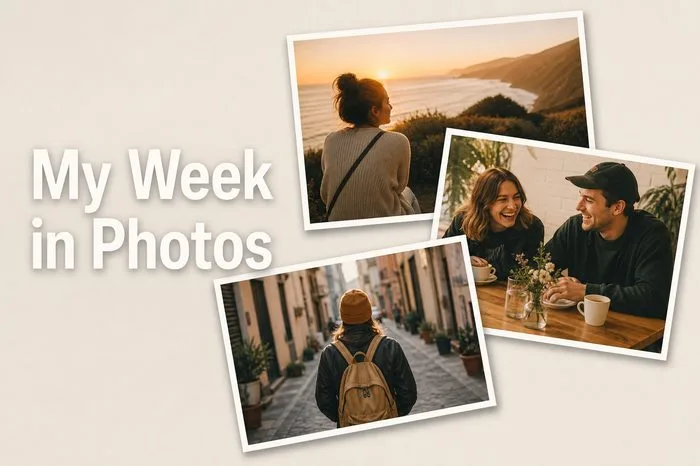
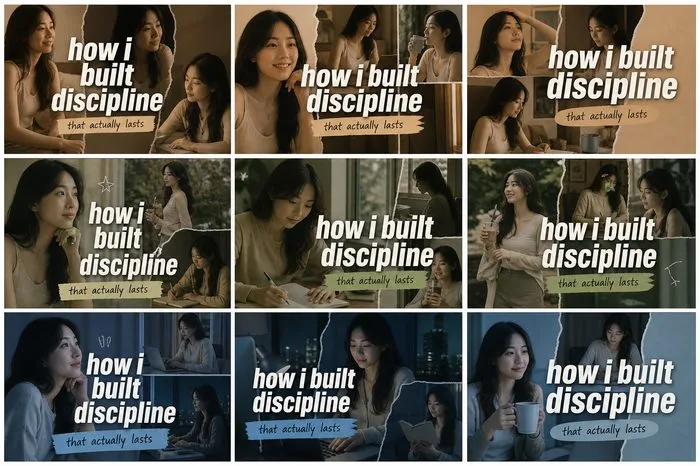
Grid Collage thumbnail layout: a tiled grid of key frames from the video

Grid Collage

Multiple key frames tiled into one composite thumbnail.

Overlapping Photo Stack thumbnail layout: key frames layered like a scattered photo stack

Overlapping Photo Stack

Key frames layered like a scattered photo stack.

Main + Inset thumbnail layout: one dominant key frame with a smaller inset detail shot

Main + Inset

One dominant frame with a smaller inset detail shot.

✦

Upload reference image

Bring your own reference instead of using extracted frames.

Sized for where it's going
▶️ YouTube · 16:9 video thumbnail
📱 Shorts / Reels / TikTok · 9:16 cover
📷 Instagram Feed · 1:1 post
💼 LinkedIn Video · 16:9, mirrored safe zone

This page covers the thumbnail engine as part of the Video Intelligence pipeline, the full layout gallery, more examples and platform-by-platform guidance live on the dedicated Thumbnail Creator page.

🎞️ From the same footage

Poster Art, From Footage You Already HavePoster Creation

The same key-frame engine also generates poster-style key art straight from your footage, useful for a premiere announcement, an event recap poster, or key art for a highlight package, without a separate photoshoot or design pass.

Three ways it gets used
Premiere announcement poster generated from footage key frames

Premiere Announcement

Key art for a launch date reveal, pulled straight from the footage itself.

Event recap poster generated from footage key frames

Event Recap

A single poster summarizing a match, stream or event after the fact.

Highlight package key art generated from footage key frames

Highlight Package Key Art

Cover art for a Reel or Trailer package, matched to the cut it fronts.

Who it's for

Anyone sitting on more footage than time to edit it.

🏆

Sports & media houses

Auto-detect the key moments in a match or stream recording and turn them into publish-ready highlight reels and recap trailers, without a human scrubbing the full runtime.

🎥

Long-form creators & YouTubers

Turn a long upload into Shorts, Reels and TikToks automatically, with a thumbnail generated from the same footage instead of a separate design pass.

📣

Marketing, brand & events teams

Turn webinars, product launches and event recordings into a Teaser for promotion and a Trailer for the recap, from a single source file.

Answers

AI video intelligence, in brief.

What is AI video intelligence?

AI video intelligence is the capability of analyzing raw or long-form video to find the moments worth keeping, key frames, key moments and highlights, instead of requiring a human editor to scrub through footage manually. SparkStation's Video Intelligence engine does this automatically, then uses the same key frames to cut promotional edits and generate thumbnails and posters.

What's the difference between a Teaser, a Trailer and a Reel?

Straight from the live product: a Teaser (15-30 seconds) uses a handful of moments and withholds the story; a Trailer (60-90 seconds) follows a full beat arc with rising intensity; a Reel (15-60 seconds) is a punchy highlight cut built for social. All three are cut automatically from the same detected highlights, with a genre and target-audience setting to match the tone.

Can AI automatically find the highlights in a sports video?

Yes, this is one of the strongest use cases for the underlying key-moment detection: point Video Intelligence at a match or stream recording and it surfaces the moments worth keeping without a human scrubbing through the full runtime, then cuts those moments into a Reel, Trailer or Teaser ready to publish.

Can I generate a thumbnail from the same video, not just a video cut?

Yes. Thumbnail generation draws on the same key frames Video Intelligence extracts, with layout options including a grid collage, an overlapping photo stack, and a main-image-with-inset composition, sized for YouTube, Shorts/Reels/TikTok, Instagram Feed or LinkedIn Video.

What genres and audiences does the highlight-cut generator support?

Documentary, Drama, Horror, Action, Thriller, Comedy, Romance, Sci-Fi and Fantasy, plus five target-audience presets, Kids, Gen-Z/Youth, Young Adults, Family/General Audience, and Mature/Older Audience, so the pacing and tone of the cut matches who it's for.

Do I need to edit my footage first?

No. Video Intelligence is built to work on raw, unedited footage, the point of the frame-extraction and key-moment-detection stages is to do the scrubbing and moment-finding that would otherwise be a manual editing step.

Ready to find what's worth keeping?

Point Video Intelligence at your next upload and get a Teaser, Trailer or Reel, plus a matching thumbnail, before you'd have finished scrubbing it by hand.