Upscale · Up To 4x Resolution

Push any image to 4x resolution. The detail doesn't fall apart.

A basic resize just stretches pixels, the bigger it gets, the softer it looks. SparkStation's Upscale reconstructs plausible fine detail as it enlarges, so a photo, product shot or generated frame holds up at print-ready and high-DPI sizes, not just on a phone screen. Drop in a source image, pick your output size, and generate as many upscaled variations as you need in one run.

What is an AI image upscaler? A tool that enlarges a photo or generated image to a higher resolution while reconstructing plausible fine detail, instead of just stretching existing pixels the way a basic resize does. SparkStation's Upscale takes any source image and outputs it at up to 4x its original resolution, with a choice of how many upscaled variations to generate per run.
How it works

Four steps, one clean upscale.

No manual sharpening filters, no guessing at settings, pick a size, generate.

1

Drop in your source image

Any photo, product shot, illustration or AI-generated frame, drag, drop, browse, or paste with Ctrl+V.

2

Choose your output size

2x for a quick resolution bump, or 4x when the image needs to hold up at a larger physical size or pixel density.

3

Set how many variations

Generate more than one upscaled output from the same source in a single run.

4

Upscale

Get back a sharper, larger version, not a stretched, softened one.

📐 Output sizes

2x for the quick bump, 4x for the sizes that actually get scrutinizedUp to 4x resolution, without the smudging a plain resize causes

Most of the time an image only needs to be a little bigger, a thumbnail that has to sit next to sharper photos, a screenshot that needs to read clearly at a larger size. 2x handles that in one step.

Print, packaging, large-format signage, and high-DPI displays are less forgiving, every softened edge and smeared texture becomes visible at that size. 4x is built for exactly that case: it's the tier SparkStation's own in-product guidance points to for "print-ready or high-DPI outputs," not just a bigger export.

2x

Quick resolution bump

For web use, feed thumbnails, and anywhere the image just needs a little more room to breathe.

4x

Print-ready & high-DPI

For output that has to hold detail at a larger physical size or a denser pixel grid, the tier built for scrutiny.

Multiple

Batch variations

Set an output count and generate more than one upscaled version of the same source in a single run.

🔗 Where it fits

Upscale is rarely the first stepIt's the finishing move for a shot generated or edited elsewhere in Image Studio

Upscale is built to sit at the end of a workflow, not the start of one. Generate a look with Image Generation, run a fashion set through Model Photoshoot, or try an outfit on with Virtual Try-On, both of those tools already point back to Upscale for the frames worth keeping at full size, rather than treating every generated variation as equally final.

Real output

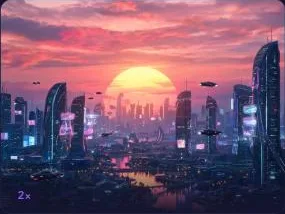
Pulled straight from live Upscale sessions.

No mockups, these are real 2x outputs from the tool.

Why it works better

A basic resize and an AI upscaler solve different problems.

Stretching pixels and reconstructing detail look identical at a glance, until the image gets scrutinized at its new size.

✕ A basic resize
  • Stretches existing pixels, no new detail is added
  • Gets visibly softer the larger it's scaled
  • Breaks down fast at print or high-DPI sizes
  • One output at a time, one size at a time
✓ SparkStation Upscale
  • Reconstructs plausible fine detail as it enlarges
  • Holds up at 2x and 4x, not just on a phone screen
  • Built for print-ready and high-DPI output specifically
  • Generate multiple variations from one source in a single run
Who it's for

Anyone whose image needs to hold up at a bigger size.

📸

Photographers & content creators

Bring an older or lower-resolution photo up to a size that holds detail on modern displays or in print.

🛍️

Ecommerce & product teams

Push product photography to a resolution that survives zoom-in on a listing page without looking soft.

🎨

Designers & illustrators

Take a generated or hand-drawn frame from screen resolution to something print- or poster-ready.

Answers

AI image upscaler, in brief.

What is an AI image upscaler?

An AI image upscaler enlarges a photo or generated image to a higher resolution while reconstructing plausible fine detail, instead of just stretching existing pixels the way a basic resize does. SparkStation's Upscale takes any source image and outputs it at 2x or 4x its original resolution.

How much bigger can SparkStation make an image?

Up to 4x the original resolution without losing detail, which is enough for print-ready output or high-DPI displays. You choose 2x for a quick web-resolution bump or 4x when the image needs to hold up at a larger physical size or pixel density.

Does upscaling just stretch and blur the image?

No, a basic resize stretches existing pixels and gets softer as it grows. An AI upscaler reconstructs plausible detail at the new resolution instead, which is why SparkStation's tool holds up for print-ready and high-DPI use where a plain resize would look smudged.

What kinds of images can I upscale?

Any source image, photography, product shots, illustrations, or frames generated elsewhere in SparkStation's Image Studio. It's commonly used to push an AI-generated frame, an old low-resolution photo, or a small product photo up to a size that holds detail at a larger display or print size.

Can I generate more than one upscaled version at a time?

Yes. Upscale lets you set how many output variations to generate from the same source image in a single run, rather than generating and reviewing one at a time.

Ready to stop losing detail when you enlarge?

Drop in your next image and push it up to 4x, print-ready, high-DPI, no smudging.